
Get the thought down.
Type it. Dictate it with your usual tool. Select a passage, or leave the whole field ready to rewrite.
 refract.Get Refract
A little clarity, right where you type
The thought is yours. Refract helps it land.
Turn what you type or dictate into the right words for the app you're in.

FITS THE CONVERSATION
01 / IN YOUR FLOW
No trip to another chat window. Refract works with the words already in front of you.
Type it. Dictate it with your usual tool. Select a passage, or leave the whole field ready to rewrite.
Click the floating glass button or use your rewrite shortcut. On Mac and Windows, tap Ctrl + Shift. On Linux, use Ctrl + Alt + R.
Refract puts the rewrite back in your field when it can, or leaves it on your clipboard to paste. You still decide when to send.
02 / RIGHT WORDS, RIGHT PLACE
A chat can sound like a chat.
A bug report can get to the point.
hey so um I need you to look at the login page cause when I click sign in with google it just spins forever and nothing happens, I think it's the redirect url thing we changed yesterday, can you fix it and make sure it actually works this time
Dictated text from Refract's product examples
RefractedAFTERHey, can you check the login page? When I click Sign in with Google it just spins forever. Reckon it's the redirect URL we changed yesterday. Can you fix it and make sure it actually works this time? 🙏
These are recorded rewrites from the app, so you can compare the presets. No text is sent from these examples.
03 / STILL YOUR VOICE
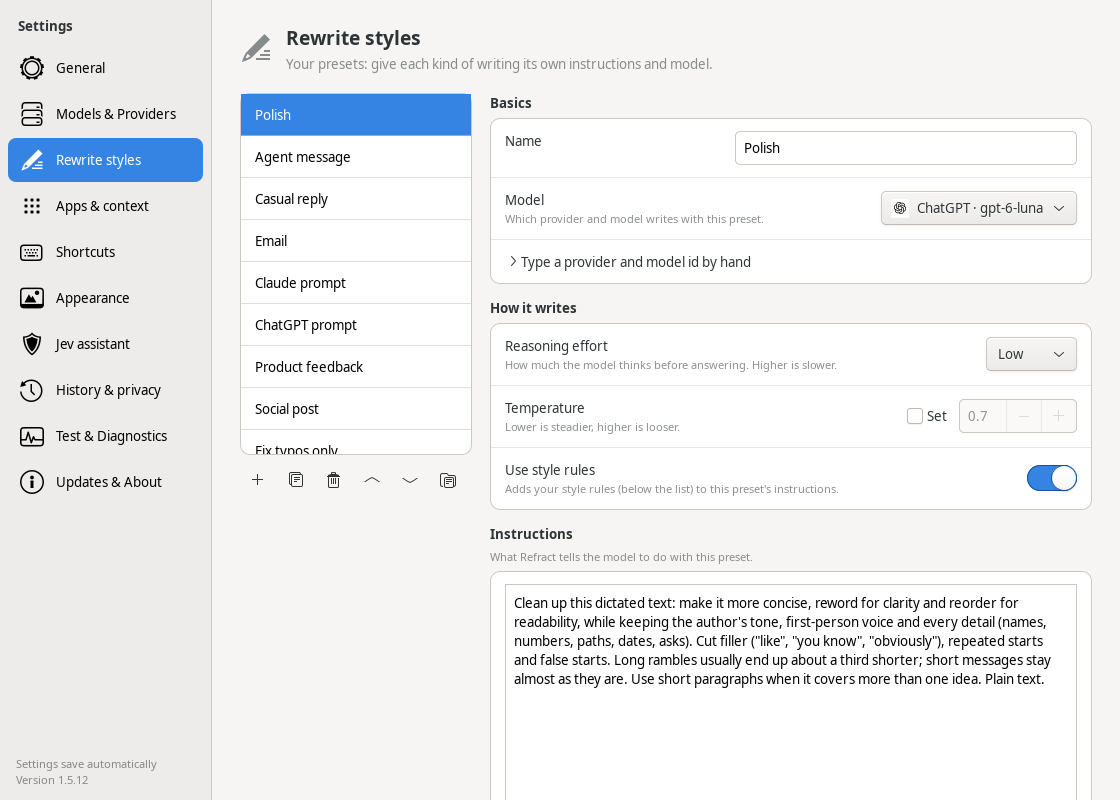
App and window rules choose between email, casual replies, AI prompts, social posts and more. Edit the rules to match your day.
Shift-click the prism to review Standard and Shorter versions. Add a nudge like "a little firmer" before you paste.
Use the undo shortcut, copy a rewrite, or find a recent rewrite in the menu. Your history stays on your computer.
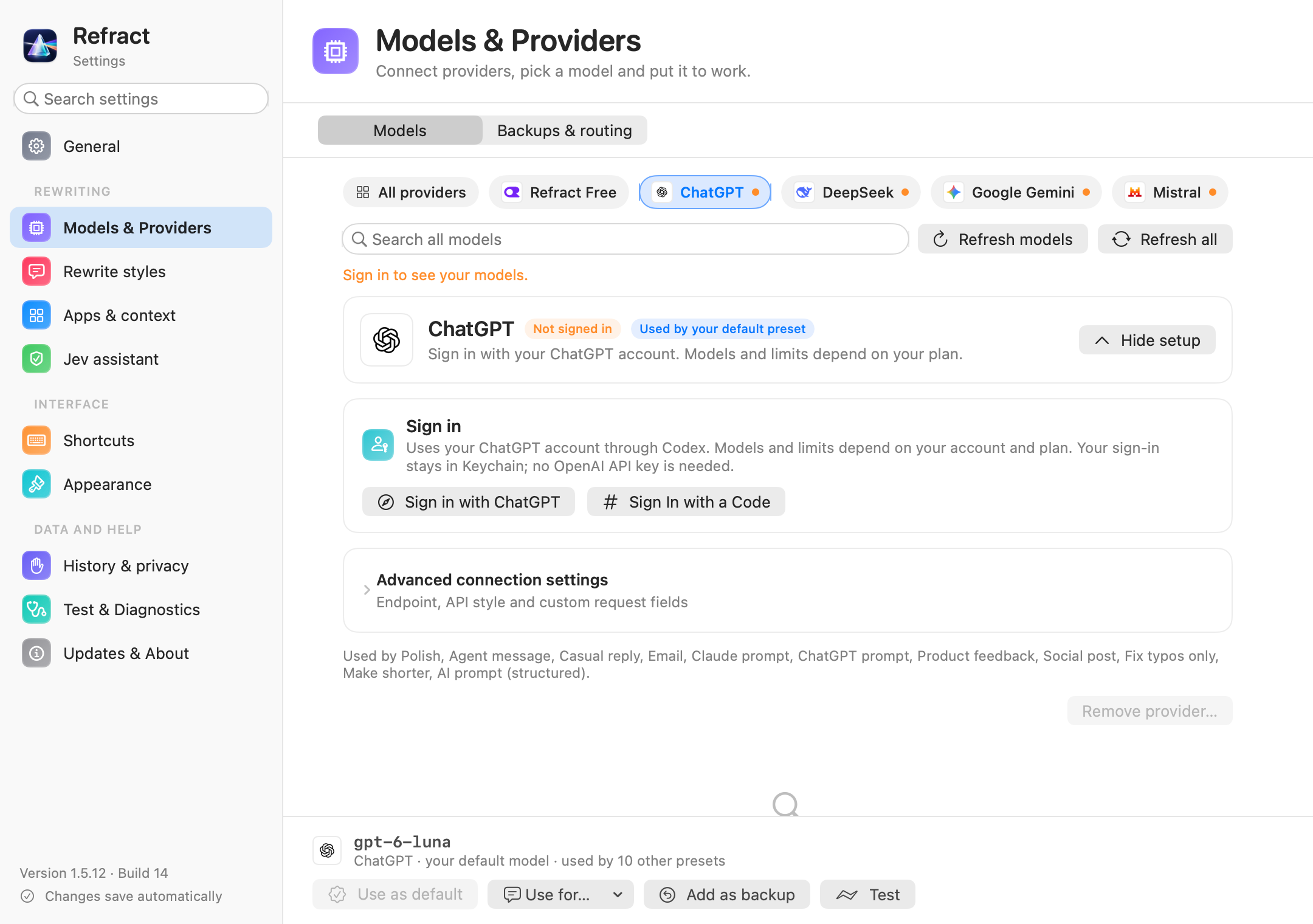
Choose your rewrite styles, set a model for each one, and pin a style to an app. Manage saved history and learning in Settings.
04 / YOUR SETUP
Sign in with your ChatGPT account, start with Refract Free without a key, bring a provider key, or connect a local model through Ollama or LM Studio.
A local model needs its server running. Provider usage and plan limits still apply.
05 / A FEW GOOD QUESTIONS
Refract rewrites text. Use your usual dictation tool to get spoken words into a field, then use Refract to polish them. You can also type normally.
Your text goes to the provider you choose. Configured backup providers may receive the same text, and app context may be included to guide the rewrite. Local providers are an option when you want to use a model on your own machine.
History is stored on your computer. When learning is enabled, saved corrections can be included as examples in later requests. You can clear history in Settings. Operational logs do not contain your rewritten text.
All three have the floating prism, app-aware styles, provider choice, ChatGPT sign-in, Review and local history. Mac and Windows use the Ctrl+Shift tap; Linux uses Ctrl+Alt+R by default.
Linux support is for GNOME on Ubuntu 24.04 and newer, with Wayland or X11. It uses desktop accessibility and GNOME's keyboard-access portal to work with your text. In Windows and Linux terminals, paste the rewrite from your clipboard yourself.
On macOS, grant Accessibility permission. On Windows, install Refract from the Microsoft Store. On Linux, extract the download and run ./install.sh; setup walks you through desktop accessibility and the keyboard-access approval.
Linux's tray icon needs an AppIndicator extension on stock GNOME. The prism's right-click menu works without it. After setup, choose your model or Refract Free. For work content, choose a provider your company approves.
No. Refract puts the rewritten words back in the text field or onto your clipboard. Review the result and send it yourself.
A DESKTOP APP BY AZ LABS
Choose your platform. Keep the words yours.
Free to install. Grant Accessibility access during setup. The Mac app checks AZ Labs' public release feed for updates.
Free to install. Get Refract from the Microsoft Store, which manages installation and updates.
Free to install on GNOME, with Wayland or X11. Extract the archive and run install.sh. Installs just for you.
Refract has no subscription. Start with Refract Free, use your ChatGPT account, or bring your own provider. The route you choose has its own usage limits. How Refract is priced.
MORE FROM AZ LABS
Live South African grocery prices from five retailers, in one search or one API call. Free to try.
Try the live searchRun your job search like a pipeline, with fit scores and cover letters you review. Early access.
Try the demoFind small businesses that need you and reach them with a preview they can open. Early access.
Try the demoAZ Labs designs AI voice agents, chat workflows and automation for businesses.
See consulting